
A little more trust in yourself. Every day.

Make a pledge.
Keep your word.

Read two pages. Move your body. Leave an unwanted habit behind. PledgeIt helps you make a meaningful promise to yourself—and come back to it, one honest day at a time.

Free to start. No account needed.
For iPhone, iPad & iPhone Duo. Unlimited pledges from $6.99/week.

Promise kept.That’s how self-trust grows.
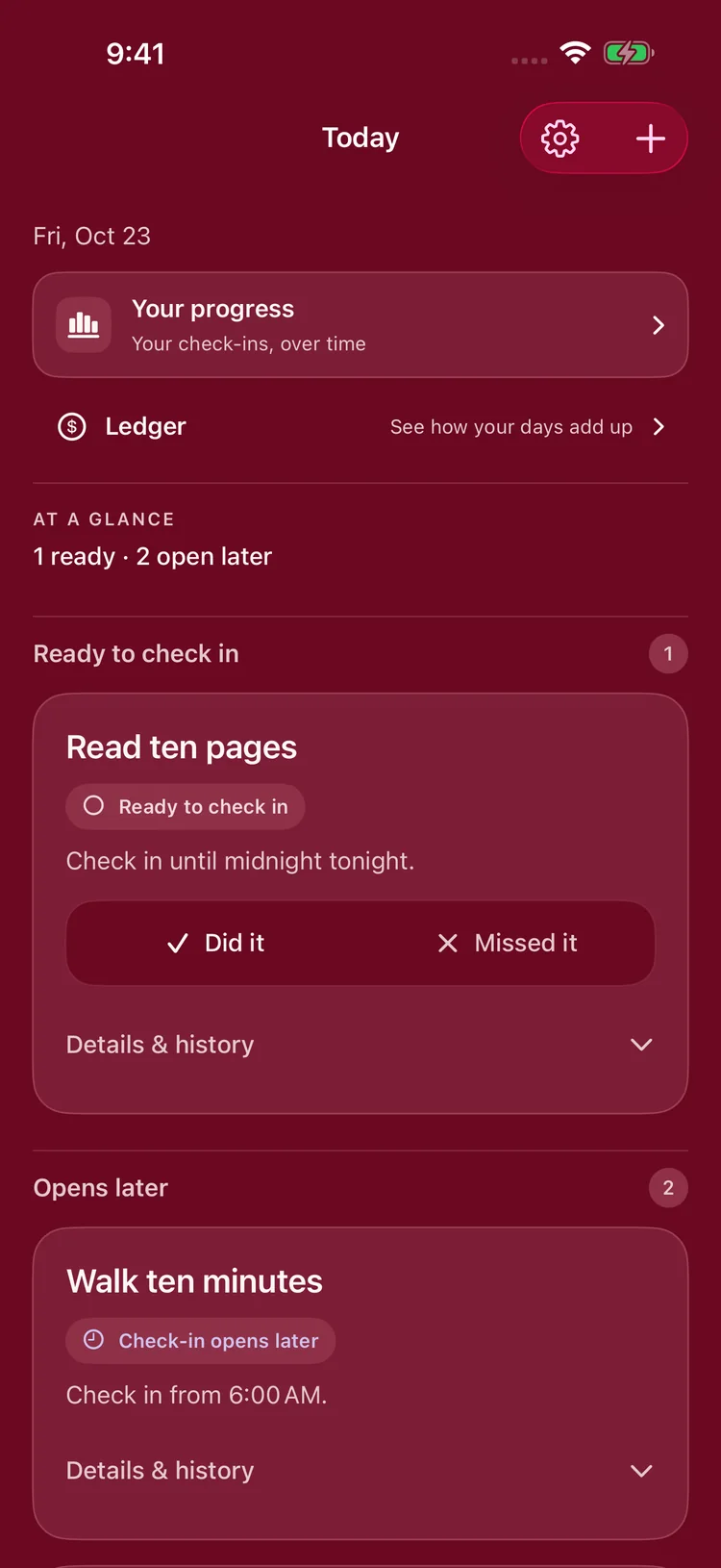
PledgeIt Today screen with pledges ready to check in
Today is a fresh chance.
One meaningful promise.One honest check-in.Another chance tomorrow.

Make today count

You don’t need a whole new life.
Just a promise for today.

It can be small. It can be something you do—or something you choose to stop doing. What matters is making it yours.

Read 2 pagesStudy for 20 minutesGo for a walkPut the phone down

How it works

Less organizing.
More showing up.

Make a pledge

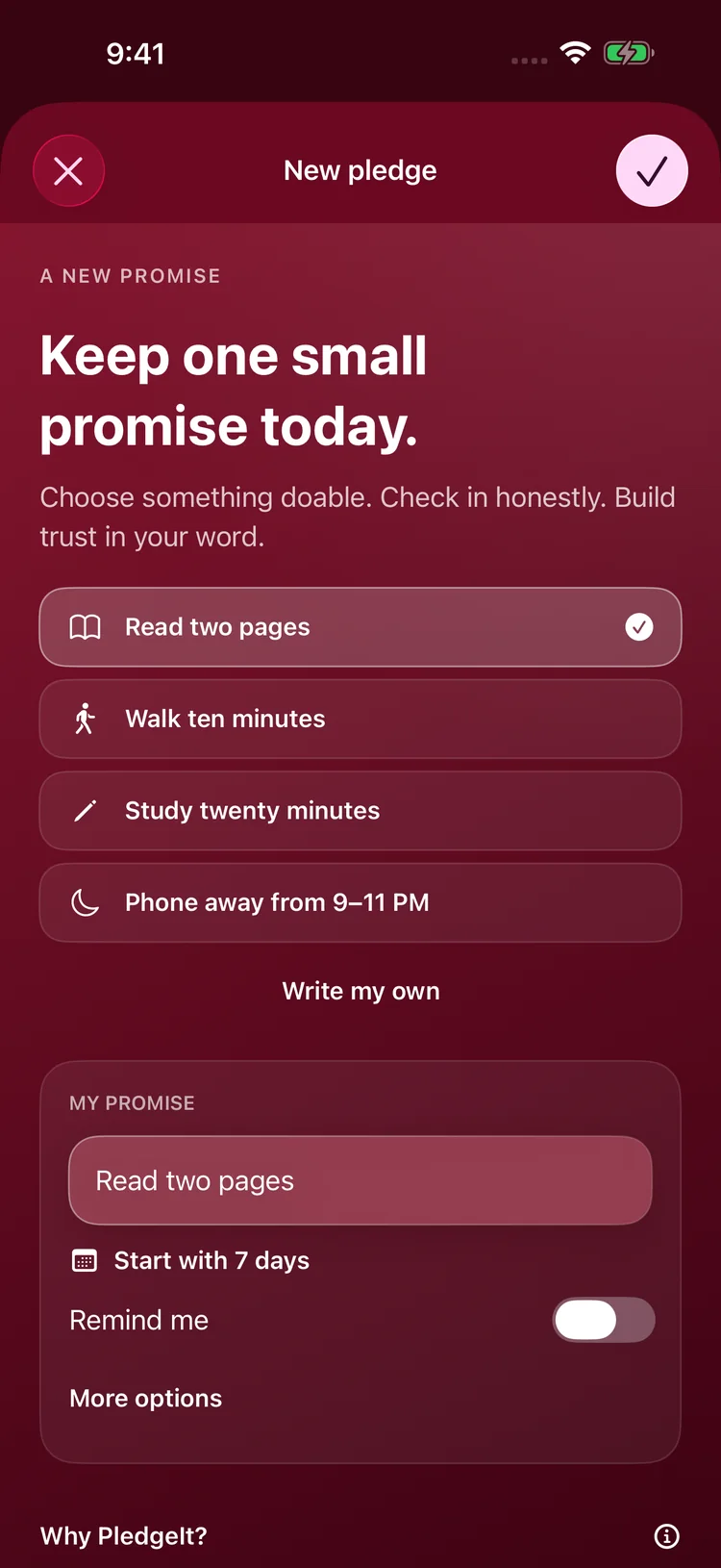
Start from a gentle template, like reading two pages or walking ten minutes, or write your own. Make it specific enough to know when you’ve kept your word.

Starting a new pledge from templates such as Read two pages and Walk ten minutes

Keep it in sight

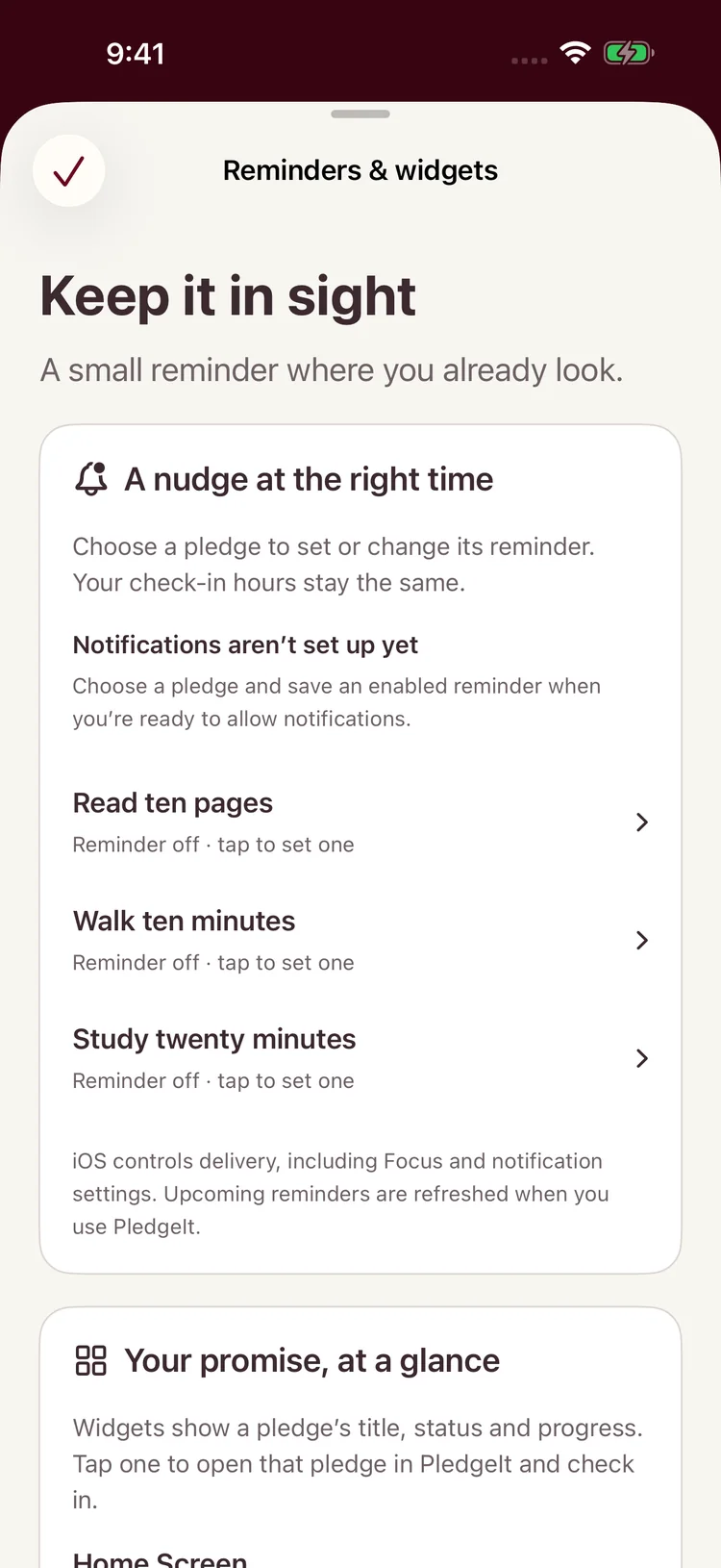
Choose a reminder and add widgets to your Home Screen, so your promise is there when you look. Set a fixed check-in window, or use the sunrise and sunset presets.

Reminders and widgets, with a reminder you can set for each pledge

Check in and continue

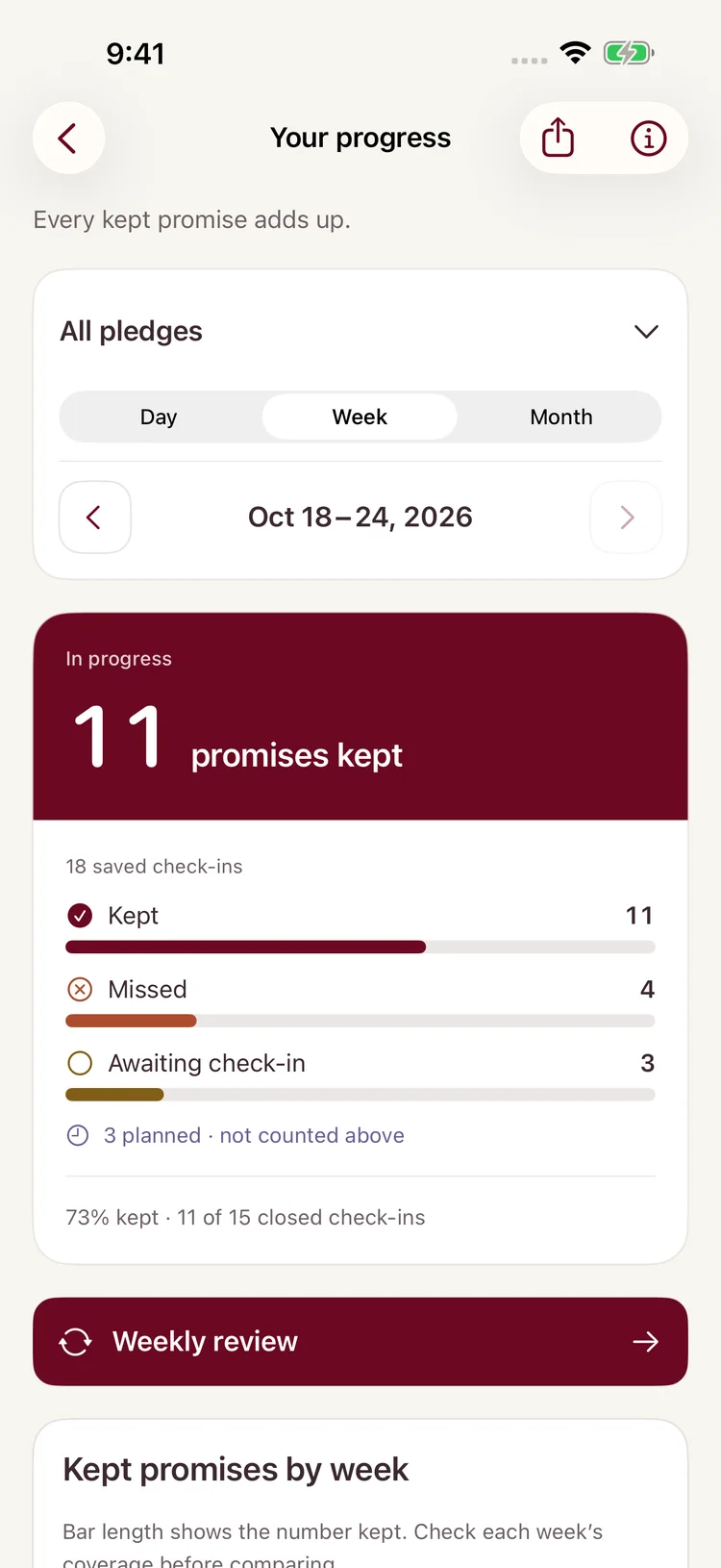
One tap records the day, and you can correct it while that day’s window is open. Then open Progress to see what you’ve kept, what you’ve missed, and what’s still ahead.

Your progress for the week: kept, missed and upcoming check-ins

Inside the app

A calm view of
what you’ve kept.

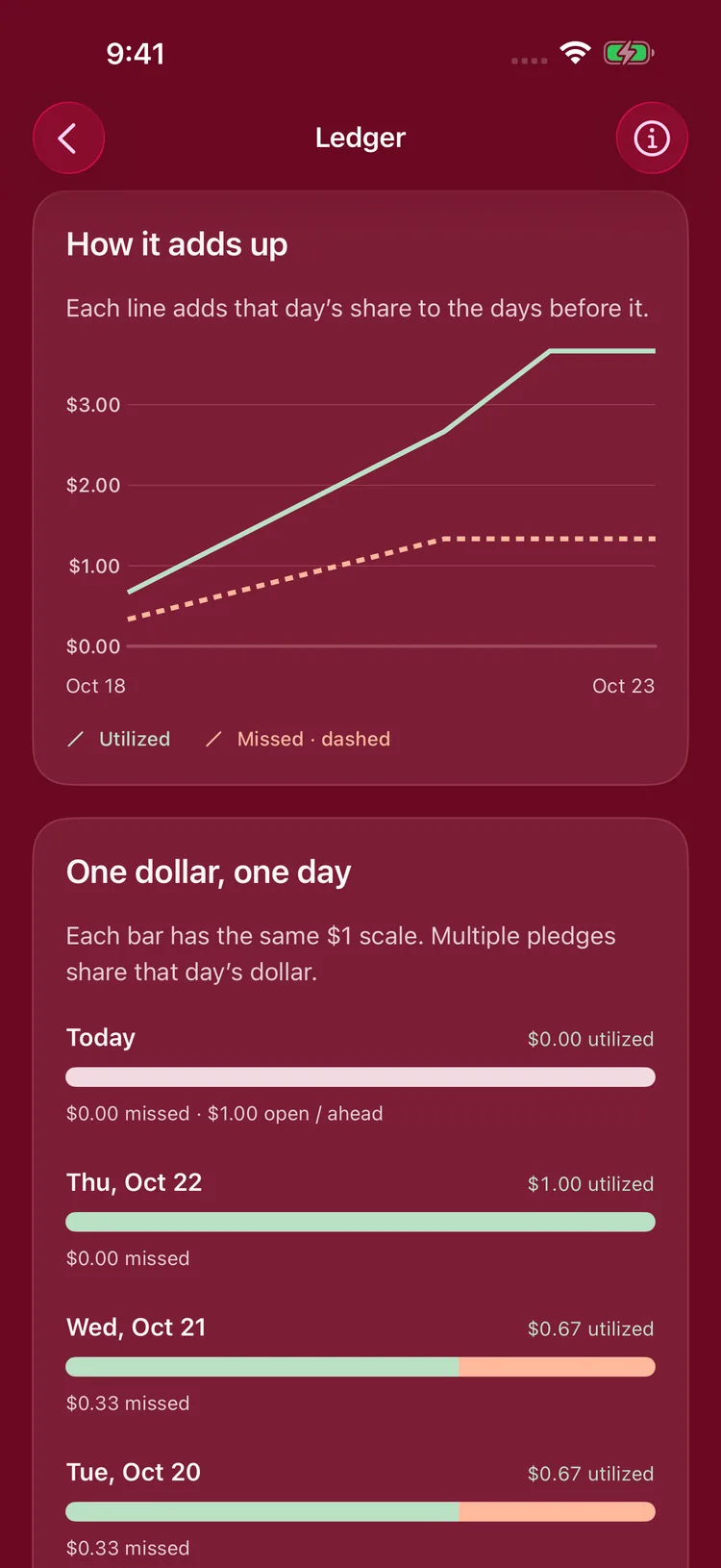
The Ledger

See how your days add up. Each day is one dollar in a simple metaphor for your time. No money is ever charged, deposited or lost.

The Ledger chart showing how kept days add up

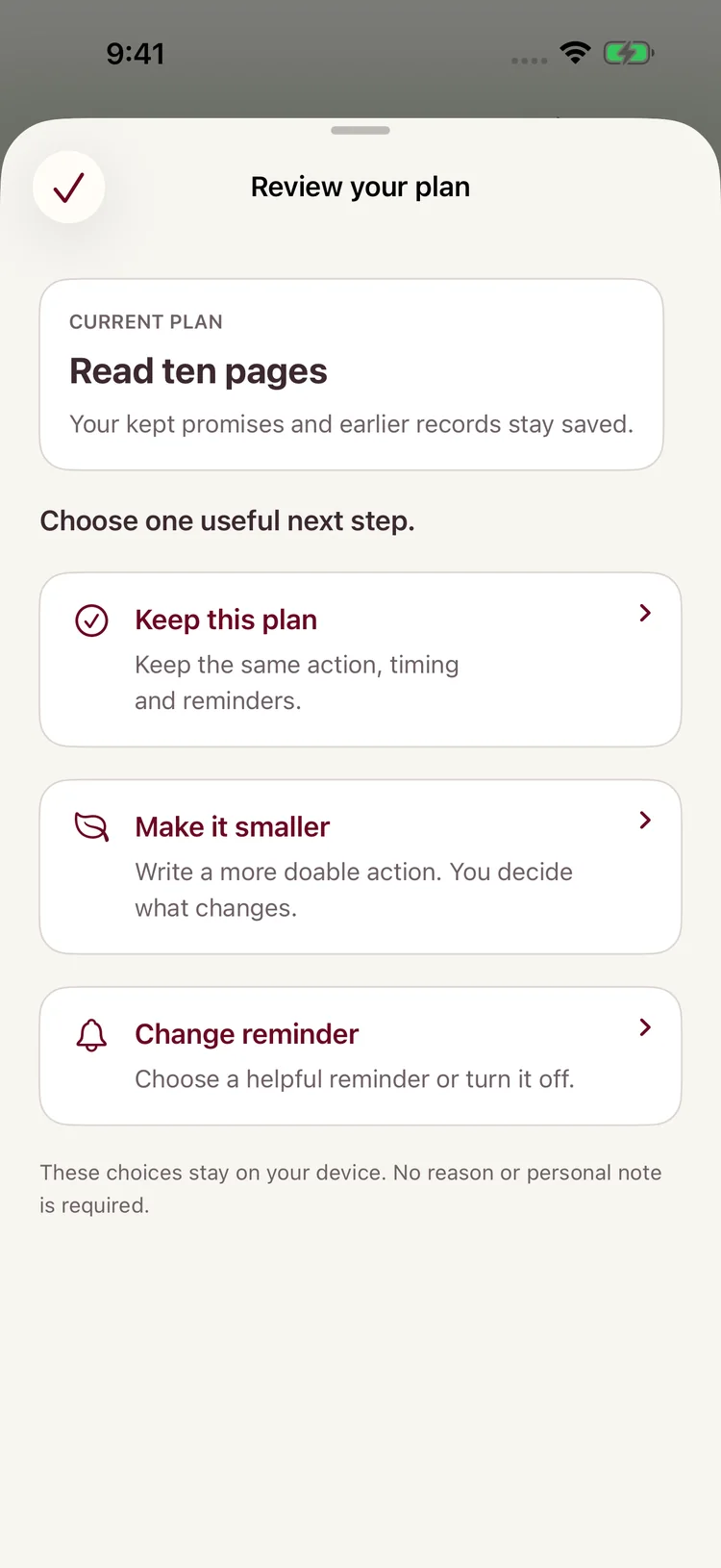
Review your plan

After a miss, you can choose to review your plan: keep it, make it smaller, or change the reminder. No reason is asked, your earlier records stay as they were, and it all stays on your device.

Review your plan sheet with options to keep the plan, make it smaller or change the reminder

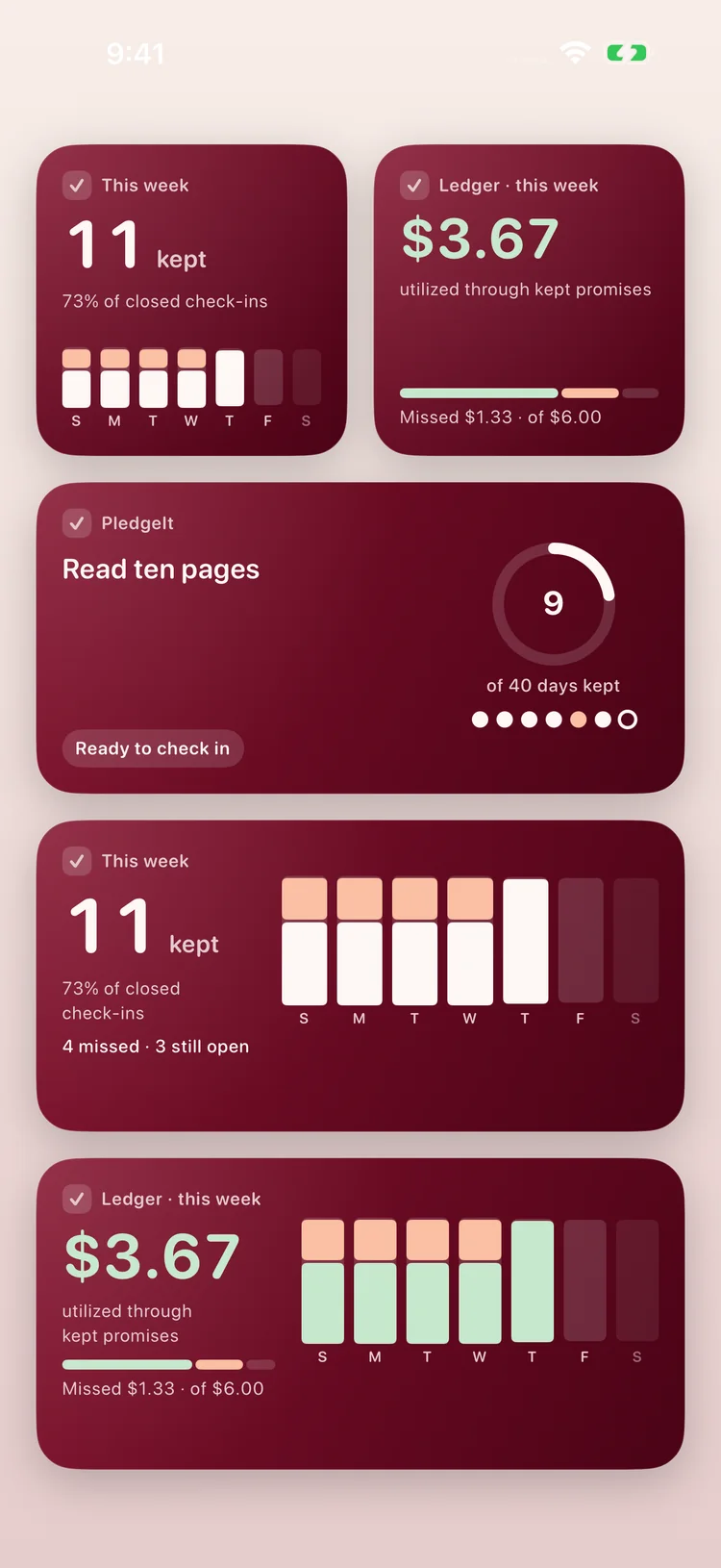
Widgets for your Home Screen

Keep a pledge, its progress or this week’s kept check-ins in view, and tap a widget to jump straight to that pledge.

Home Screen widgets showing kept check-ins and the Ledger

A tiny practice run

Did I keep my
promise today?

Try a week right here. Tap “Did it” or “Missed it” and see an honest record take shape. One missed day doesn’t erase the days you showed up.

  • Keep it specific. A clear promise is easier to return to when life gets busy.
  • Make time visible. Your daily window keeps the intention grounded in a real moment.
  • Let progress be honest. The calendar keeps a simple record of what happened — no judgment, no hidden math.
Morning walk Day 1 / 7
0 / 7
completed days this week

Features

Everything points back to one idea: keep showing up.

Progress with context

See kept, missed and upcoming check-ins by day, week or month, with a Weekly Review to reflect on what’s working.

The Ledger

A simple picture of how your days add up, shared across your pledges. A motivational metaphor only: no money is ever charged or lost.

Reminders that help

Choose a gentle reminder for each pledge, plus optional daily encouragement: a few short quotes a day.

Home Screen widgets

See a pledge, its progress or the Ledger at a glance, and tap to jump straight to that pledge.

Your daily rhythm

Set a fixed check-in window, or use the 6 AM sunrise and 6 PM sunset presets. Each run keeps the time zone it started in.

One-tap check-ins

Mark the day as done or missed with a quick, clear action that respects your time.

Make it yours

Give each pledge a title and a private note, then choose your horizon: a week, forty days, or as long as you need.

Start again, anytime

Progress is a practice, not a verdict. Restart a pledge when you are ready for a fresh beginning.

Made for every screen

Today, Progress and the Ledger adapt to iPhone, iPad and the fold of iPhone Duo, whether it’s closed, partly open or fully open.

What we believe

Small promises
build self-trust.

You don’t need a perfect day to become someone who keeps their word. You need one realistic promise, an honest check-in, and another chance tomorrow.

  1. One day. One opportunity.

    Imagine receiving one dollar every morning. You can’t save it for tomorrow or earn yesterday’s back. That’s the reminder behind PledgeIt: today is a chance to keep one meaningful promise. The dollar is a metaphor, not money, hours worked or a score for your life.

  2. Honest check-ins.

    Choose something realistic, follow through, and check in as the day really was. Correct a check-in while that day’s window is open. Your reports show what happened, without pretending.

  3. A miss doesn’t erase the times you showed up.

    Progress is a practice, not a verdict. Your record keeps what you kept, what you missed and what’s ahead. After a miss, you can make the promise smaller, change the reminder, or begin again tomorrow.

  4. Rest and everything else matter too.

    Your progress counts pledge check-ins. It doesn’t measure your worth, how hard you worked, or how much of your day was useful.

  5. Private by default.

    Your pledges, notes and history stay on your device. There are no ads, no in-app analytics, and we never sell your data.

PledgeIt actually started as something I wanted for myself.

I’ve always had things I wanted to improve. Read more. Exercise consistently. Work on my projects. Stop wasting time on things I knew weren’t good for me.

Like most people, I’d make these big plans for myself. And like most people, I’d eventually miss a day, lose momentum, and start again on Monday, next month, or whenever I felt motivated enough.

I tried notes, reminders, habit trackers and productivity apps. But at some point I realized I was spending almost as much time organizing the life I wanted to live as actually living it.

Then my brother gave me an analogy that stuck with me.

Imagine that every year you’re given $365. Every morning, you receive exactly $1.

You can’t save today’s dollar for tomorrow. You can’t borrow one from next week. And once midnight comes, whatever you did with that dollar is permanent. You never get it back.

That’s basically what a day is.

Every morning you receive another small piece of your life, and you get to decide what you’re going to do with it.

That changed the question for me. Instead of asking: “How do I completely change my life?”

I started asking:

“What’s one promise I’m willing to make to myself today?”

Maybe it’s reading two pages. Maybe it’s studying for 20 minutes. Maybe it’s exercising. Maybe it’s working on something you’ve been putting off.

Or maybe the promise is not doing something that’s been controlling you.

That’s what eventually became PledgeIt.

The idea is deliberately simple. You make a pledge to yourself. You decide how long you want to keep it. And each day, you come back and answer one question:

Did I keep my promise today?

Did it Missed it.

No pretending the missed days didn’t happen. And no treating one missed day as proof that you’ve failed either.

You acknowledge it, learn from it, and show up again tomorrow.

Because today’s dollar might be gone.
Tomorrow you get another one.

And over time, something bigger starts happening. You’re not only building a reading habit, exercising more, studying consistently, or leaving an unwanted habit behind.

You’re building trust in yourself.

You start becoming someone who believes:

“If I tell myself I’m going to do something, I’ll actually try to keep my word.”

That’s what I wanted PledgeIt to be about. Not perfection. Not maintaining some flawless 365-day streak.

Just making meaningful promises to yourself and becoming a little more dependable to yourself every day.

Your time is valuable.
Spend today like it matters.

Make a pledge. Keep your word.— The maker of PledgeIt

FAQ

Fair questions, straight answers.

What happens when I miss a scheduled day?
Mark it honestly and keep going. A missed day is saved in your history and shows in your reports, but it doesn’t erase the days you kept. After a miss you can review your plan: keep it, make it smaller, or change the reminder. If a check-in window closes without an answer, your reports count that day as missed.
Can I change a pledge after I create it?
Yes. You can edit a pledge’s title, note, target or daily window as your routine changes. Earlier days keep the title and hours they were saved with. You can also restart a pledge for a fresh run; your earlier runs stay in Progress.
How do memberships work?
Start with one active pledge, free: no account, no card, and no automatic subscription. For unlimited pledges, choose Weekly ($6.99/week), Monthly ($21.00/month), or Yearly ($152.99/year) in US prices; your local price is shown before purchase. Monthly and Yearly start with a one-week free trial for eligible new subscribers. Manage or cancel in App Store subscriptions.
Can I choose when a day starts and ends?
Yes. Set a fixed check-in window, or use the sunrise (6 AM) and sunset (6 PM) presets. A pledge keeps the time zone it started in, so travelling doesn’t rewrite your history.
Does the Ledger charge or move money?
No. The Ledger is a symbolic picture of “one dollar a day.” PledgeIt never charges, holds, stakes or deposits money for your pledges. The only payment in the app is an optional Apple subscription for unlimited pledges.
Do I need an account?
No. Pledges, check-ins, reminders, widgets, Progress and the Ledger all work without one. You only sign in with Apple to subscribe, or to post and vote on the shared feature board and send feedback.
Which devices does it work on?
iPhone and iPad running iOS 17 or later. Today, Progress and the Ledger adapt to iPad and to the fold on iPhone Duo.
Is my data private?
Your pledges, notes, check-ins, progress and Ledger stay on your device. The app has no ads, no in-app analytics and no cross-app tracking, and we do not sell personal data. Sign in with Apple, subscriptions, feedback and the feature board use our account service; this website uses first-party analytics. Our Privacy Policy explains all of it.
How do I delete my account?
In the app, open Options, tap Your Apple account to expand it, then choose Delete account. That deletes your server account and clears the app’s data on this device. Deleting the app alone does not delete your account, and neither cancels an App Store subscription.

Today is yours.
What will you pledge?

You don’t have to be perfect. Just start with something that matters.

Download on the App Store

Free to start · No account needed · iPhone & iPad